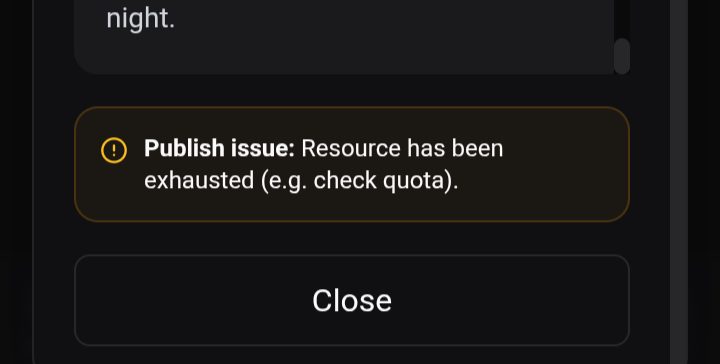
@naveedshah 15 post hone ke bad ab AJ yeh error aa Raha he .
Comments (2)
Sign in to comment on this post.

Naveed SHAHα6/5/2026
Assalam-o-Alaikum pyare bhai, fikar bilkul na karein ye aam tor pe Google security ki wajah se Blogger token expire hone ka error hota hai. Aap aik dafa Dashboard pe Recent Activity section check karein, wahan red dot ke sath error details aur aik "Fix" button hoga. Bas Blogger ko dobara reconnect kar lein, masla hal ho jaye ga dost!
Naveed SHAHα6/5/2026
auto posting kam karo and manual be
M
Multigamer100kB6/5/2026
@naveedshah daily two hain
Naveed SHAHα6/5/2026
Pyare bhai, please check your dashboard's Recent Activity section. You'll see a red dot on the failed post with a 'Fix' button showing the exact error. It is most likely a Blogger token expiry (Google's standard security), so just clicking the Reconnect button will fix it up for you in 30 seconds!
M
Multigamer100kB6/6/2026
@naveedshah bro red dot to show ho Raha he post failed ka but fixed button kahin bhi nahi he Maine dhundlia
Naveed SHAHα6/6/2026
No problem, pyare bhai! If the 'Fix' button isn't showing up there, you can easily do it manually. Just go to Dashboard > Connect Blogger and reconnect your Google account again. This will refresh your expired token in 30 seconds and fix the issue. 👍
M
Multigamer100kB6/6/2026
@naveedshah I will try .
M
Multigamer100kB6/6/2026
@naveedshah acha lakn agar main manually jab article public karta hon to phir Pinterest pe toh post hojata he lakn Twitter par nahi hoata . Or agar jab main Twitter ke tab main jakar text post karon toh woh easily mare account par ho jati he post par article nahi ho Rahe . Na manually main or nahi automatic main
Naveed SHAHα6/6/2026
Pyare bhai, Twitter/X has a strict safety limit of 2 automated tweets per day on our platform. If you have already shared 2 tweets today, the system won't post more until it resets at midnight UTC. If that's not the case, just try updating your Twitter cookie once in the dashboard. Let me know how it goes, dost!